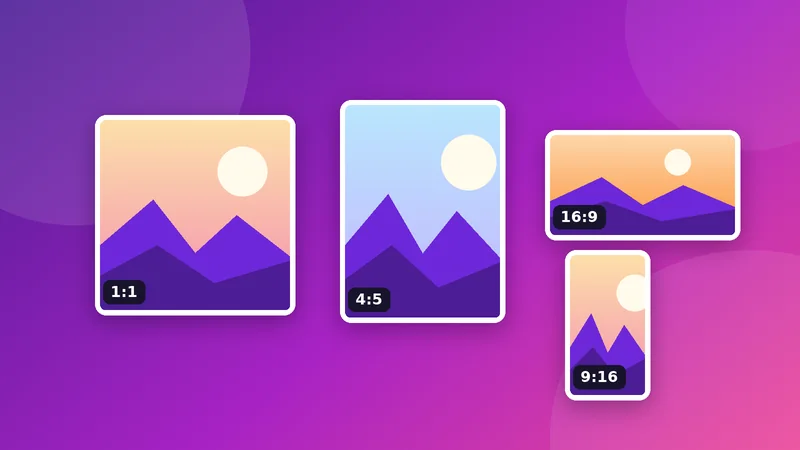
What an aspect ratio is
The aspect ratio describes the relationship between width and height, not the size. A picture of 1600×900 and one of 320×180 are both 16:9, because 1600÷900 and 320÷180 give the same number (1.78). Reading the ratio tells you what shape of frame the picture will fill.
Common ratios and where they are used
| Ratio | Shape | Typical use |
|---|---|---|
| 1:1 | Square | Profile pictures, square feed posts |
| 4:5 | Slightly tall | Portrait feed posts, 8×10 inch prints |
| 4:3 | Standard | Phone cameras, older screens, presentations |
| 3:2 | Classic photo | DSLR and mirrorless cameras, 4×6 inch prints |
| 16:9 | Widescreen | Video, YouTube thumbnails, slides, hero banners |
| 1.91:1 | Wide | Link previews on Facebook, LinkedIn, Open Graph images (1200×630) |
| 2:3 | Tall | Pinterest pins, posters |
| 9:16 | Full-screen vertical | Stories, Reels, short video |
Calculating a missing dimension
- Height from width: height = width ÷ (ratio width ÷ ratio height). For 16:9 at 1280 px wide: 1280 × 9 ÷ 16 = 720.
- Width from height: width = height × (ratio width ÷ ratio height). For 4:5 at 1350 px tall: 1350 × 4 ÷ 5 = 1080.
- Finding a ratio: divide both sides by their greatest common divisor. 1920×1080 divided by 120 gives 16:9.
Why your photo does not match
A phone usually shoots 4:3, a mirrorless camera 3:2. Neither equals 4:5 (Instagram portrait), 16:9 (YouTube) or 1.91:1 (link previews). Even a standard 8×10 inch print is 4:5, so a camera photo loses some of its edge when printed at that size unless you crop it. That is not an error; it is simply geometry. You choose which part to keep.
How to crop to a ratio
- Open the Image Cropper and add your picture.
- Pick a ratio button such as 4:5. The box locks to that shape.
- Drag the box over what matters and use the corner handles to resize it.
- Press Crop image and download.
- If you need an exact pixel size, use the Image Resizer on the cropped picture.
Composition tips for cropping
- Rule of thirds: place the subject near one of the grid lines the cropper shows, rather than the exact centre.
- Look room: leave more space in the direction a person is looking or moving.
- Do not trim at joints such as wrists, ankles or knees.
- Remove distractions at the edges, such as a stray hand or a bright object.
- Keep the original. Cropping discards pixels, so save the master.
Crop or pad?
If you cannot afford to lose any part of the picture, use padding (also called letterboxing). The resizer’s “Fit inside and pad” mode does this. The step-by-step example in resizing for social media without stretching shows the difference with numbers, and the cheat sheet lists the ratios for each platform.
Worked examples with real numbers
- 4:3 phone photo (4000×3000) to 4:5. Keep the full height of 3000 pixels and take a width of 3000 × 4 ÷ 5 = 2400 pixels. You lose 1600 pixels of width in total.
- 4:3 phone photo to 16:9. Keep the full width of 4000 pixels and take a height of 4000 × 9 ÷ 16 = 2250 pixels. You lose 750 pixels of height.
- 3:2 camera photo (6000×4000) to 1:1. Keep the full height of 4000 pixels and crop the width to 4000 pixels, discarding 2000 pixels across the sides.
In each case the largest possible crop keeps one full side of the picture, which gives you the most pixels for the new ratio.
Cropping for video thumbnails and banners
Wide ratios such as 16:9 and 3:1 need more horizontal space than most portrait photos have. If the subject is a person standing upright, a wide crop may cut the head or feet. In that case, use padding rather than a tight crop, or choose a photo that was shot in landscape. Preview the crop at a small size, since thumbnails are seen small.
Try it: Image Cropper
Crop with a draggable box or a fixed ratio like 1:1 or 16:9. Free, private, and it runs in your browser.
Open Image CropperFrequently asked questions
What is the aspect ratio of a phone photo?
Most phone cameras use 4:3 by default, though many offer 16:9 and 1:1 modes.
How do I crop a photo to 16:9?
Choose the 16:9 button in the Image Cropper, position the box, and crop.
What is 1.91:1?
It is the shape of 1200×630 images used for link previews on social networks and Open Graph images.
Does cropping reduce quality?
The remaining pixels keep their quality. The picture simply has fewer pixels.
How do I keep the whole picture instead of cropping?
Use the Image Resizer’s “Fit inside and pad” mode to add borders instead.