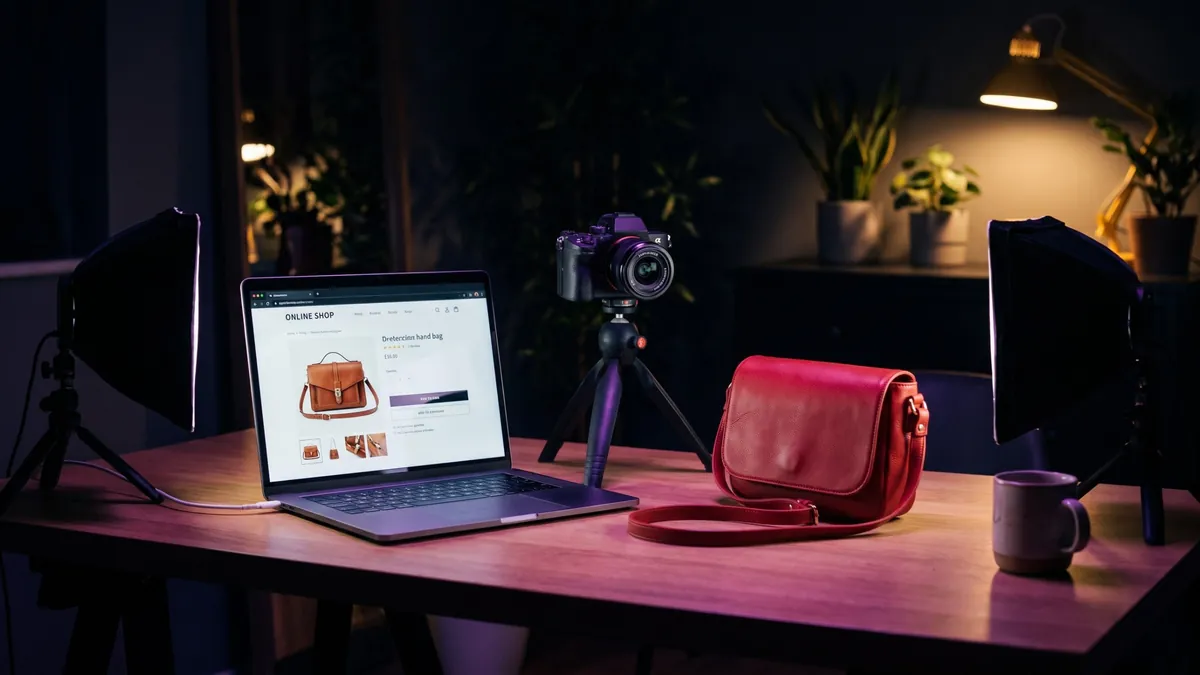
Alt text is the short description you put in the alt attribute of an <img> tag. It is one of the smallest pieces of HTML on a page and one of the most often done badly. If you run an online shop, a blog or a portfolio, fixing it is cheap, and it helps three groups of people at once.
What alt text is actually for
- People who cannot see the image. Screen readers read the alt text aloud. Without it, the user may hear a file name such as “IMG underscore 4821 dot jpg”, or nothing at all.
- Everyone when the image fails to load. On a weak connection, or when a browser blocks images, the alt text is what appears in the empty box.
- Search engines. Google says it uses alt text together with computer vision and the page content to understand an image, and calls it the most important attribute for giving an image more metadata (Google Search Central: image best practices). Good alt text also works as the anchor text when the image is a link.
The first reason is the one that should guide how you write it. If the text works for a person listening to the page, it will almost always work for a search engine too. The reverse is not true.
Six rules that cover most cases
- Describe what matters, not everything. Ask what a visitor would miss if the image vanished. For a product, that is the item, its colour and material, and the angle. It is not the shadow under it.
- Be specific, but short. A few words to one short sentence is enough in most cases. There is no hard limit in HTML. Many accessibility guides suggest staying under roughly 125 characters, which is a useful habit rather than a rule. WebAIM puts it simply: as brief as possible while staying accurate (WebAIM: alternative text).
- Skip “image of” and “photo of”. A screen reader already announces that it is an image. Mention the type only when it matters, for example “illustration” versus “photograph”.
- Use keywords only where they are true and natural. Google warns that filling alt attributes with keywords gives a poor experience and may make a site look like spam. Its own examples go from
alt="puppy"(better) toalt="Dalmatian puppy playing fetch"(best). - Match the job of the image. A photo informs, a linked icon acts, and a decorative flourish does neither. The W3C decision tree sorts images into informative, functional, decorative, images of text and complex images, and each type gets different alt text (W3C WAI alt decision tree).
- Do not repeat what the page already says. If the caption or the text next to the image already tells the same thing, the alt text can be empty. WebAIM makes the same point about context.
Alt text is not the file name. They do different jobs. The file name helps you organise and gives search engines a small extra hint, such as navy-running-shoes-side.jpg. The alt text is a sentence for people. We cover both in the image SEO basics guide.
20 alt text examples: weak versus better
The examples below are illustrative. We wrote them to show patterns, and the products are made up. Swap in your own details: material, colour, size, angle, and what makes the item different.
Product photos
| # | Weak alt text | What is wrong | Better alt text |
|---|---|---|---|
| 1 | (missing) | Screen readers may read the file name. Search engines get no description. | Red leather crossbody bag with gold zip, front view |
| 2 | bag | Too vague. It could be any of your products. | Red leather crossbody bag with gold zip, front view |
| 3 | buy red leather bag cheap best leather bags for women sale | Keyword stuffing, and it describes nothing. | Red leather crossbody bag with a gold zip and adjustable strap |
| 4 | image of a mug | Redundant opening and no detail. | White ceramic mug with a blue handle, 350 ml |
| 5 | product-photo-1 | A file name used as a description. | Stainless steel water bottle with a bamboo lid, side view |
| 6 | Running shoes (on all five gallery images) | The same text five times. Nothing tells the angles apart. | Navy running shoes, side view Navy running shoes, sole pattern Navy running shoes, worn on foot |
| 7 | blue (colour swatch) | The swatch is a control. It should say what choosing it does. | Ocean blue |
| 8 | size chart | The information inside the picture is lost. | Size chart for women’s tops, S to XL, in centimetres. Same sizes listed in the table below. |
Notice the pattern in rows 1 to 6. The better version names the object, one or two defining details, and the angle when you have several shots. That is enough for a shopper using a screen reader to picture the item, and it gives search engines real words to work with.
Blog and lifestyle images
| # | Weak alt text | What is wrong | Better alt text |
|---|---|---|---|
| 9 | photo | Says nothing the reader did not already know. | Woman packing handmade candles into a shipping box at a kitchen table |
| 10 | screenshot | Hides the point of the screenshot. | Image Compressor showing a 4 MB photo reduced to 180 KB |
| 11 | before and after | No indication of what changed. | Left: a 3.2 MB photo. Right: the same photo at 210 KB with no visible difference |
| 12 | our team | Generic, and it names nobody. | Sara Ahmed, head of customer support, at her desk |
Logos, icons and images that work as links
| # | Weak alt text | What is wrong | Better alt text |
|---|---|---|---|
| 13 | logo | Describes the type of image, not its meaning. WebAIM advises naming the company instead. | Pixetools (or “Pixetools home” when the logo links to the homepage) |
| 14 | partner logo 3 | A placeholder, not a name. | Acme Packaging |
| 15 | magnifier | Describes the picture instead of the function. | Search |
| 16 | icon | Useless to someone who cannot see the icon. | View cart, 2 items |
| 17 | twitter icon | Describes the icon, not where the link goes. | Follow us on X |
| 18 | banner | The banner contains text that is lost to non-visual users. | Autumn sale: 20% off all ceramics until 31 October |
Decorative images and charts
| # | Weak alt text | What is wrong | Better alt text |
|---|---|---|---|
| 19 | decorative swirl divider | Adds noise for screen reader users. | (empty) alt="" |
| 20 | chart | The data is trapped in the picture. | Bar chart: the same photo is 455 KB as PNG, 65 KB as JPG and 41 KB as WebP. Full numbers are in the table below. |
Row 20 follows the W3C advice for complex images: keep the alt text short and put the full information in text on the page, such as a table or paragraph, rather than cramming it into the attribute.
A real example from our own blog
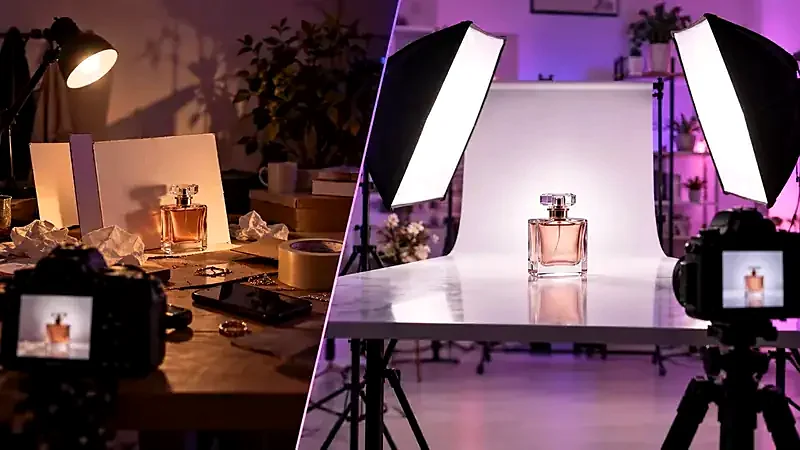
Here is how the same photo could be described on three different pages, because context changes what is worth saying:
- On a product page selling the perfume: “Glass perfume bottle with pink liquid and a square cap, front view”. The product is the point, so the alt text sticks to the product.
- In a lighting tutorial (as here): “Glass perfume bottle on a white backdrop lit by two studio softboxes”. The set-up is the point.
- Next to a caption that already says all of this:
alt="". Repeating the caption would make screen reader users hear the same sentence twice.
Alt text for e-commerce galleries and variants
Shops make the same few mistakes again and again. These fixes take minutes and scale well across a catalogue.
- Give every image in a gallery its own text. Add the angle or what is shown: front, back, detail, in use, size comparison. This is also better for shoppers who use screen readers.
- Include the attributes people search for, as long as they are true: colour, material, size, model. Write them as a natural phrase, not a list.
- Do not paste the product title into every field. The title is already on the page. The alt text should add something, such as the angle or a visible detail.
- Do not include prices or promotions unless the image itself is the promotion. Prices change and the alt text gets forgotten.
- Use templates only as a starting point. A pattern such as “[Colour] [material] [product], [angle]” is fine for a large catalogue, but check the output. Bulk-generated text that reads like a keyword list is the same problem as stuffing.
Most platforms, including WordPress, Shopify and Wix, put an alt text field next to each image in the media or product editor. The label differs by platform, so check yours rather than relying on a screenshot that may be out of date. If your product photos are heavy, shrink them at the same time with the Image Compressor. Our guide to product photo mistakes covers the other half of the job: the photo itself.
How to audit the alt text on your site in ten minutes
- Find images with no alt attribute. Open a page, press F12 to open developer tools, go to the Console and run:
Every address it prints is an image with no alt attribute at all. Note thatdocument.querySelectorAll('img:not([alt])').forEach(i => console.log(i.src))alt=""is valid for decorative images, so an empty attribute is not an error. - Find lazy offenders. Run the line below and scan for “image”, “photo”, “picture”, file names and anything over about two lines.
document.querySelectorAll('img[alt]').forEach(i => console.log(i.alt, '|', i.src)) - Check your most important pages first: the homepage, your top product pages and the posts that already get the most visits.
- Use a free checker for a second opinion. Browser accessibility tools such as the Lighthouse audit in Chrome flag images with missing alt text.
- Fix in batches, starting with images that link somewhere, then product images, then the rest.
Common questions about wording
Should I put my main keyword in every alt text?
No. Use it where it describes the image and fits the sentence. A page about “navy running shoes” will naturally have it in several alt texts. Forcing it into every image is the pattern Google calls out as keyword stuffing.
Should I write it in the same language as the page?
Yes. Alt text is read by people, so it should match the page language. If a screen reader reads Arabic alt text with an English voice, or the reverse, the result is hard to follow.
Do I need alt text for every image?
Every <img> needs the attribute. The value can be empty when the image is decorative or already described nearby. What you should avoid is leaving the attribute out, because then assistive technology has to guess.
Where alt text fits in the bigger image SEO picture
Alt text is one small part of getting images to work for you in search. The other parts matter just as much: a descriptive file name, a sensible file size so the page loads quickly, the right dimensions for each screen and an image placed close to relevant text. Google also says that high-quality, sharp photos tend to look better in search result thumbnails. Read our image SEO basics for file size and speed, responsive images in HTML for serving the right size to each device, and how to compress images without losing quality to make the files lighter before you upload them.
A short checklist to copy
- Does every image that carries information have alt text?
- Does each alt text describe this image, in this context, in a short phrase?
- Have I removed “image of”, “photo of” and keyword lists?
- Do linked images say where the link goes?
- Are decorative images set to
alt=""? - Do charts and screenshots have their important information in the page text?
- Is each gallery image distinguishable from the others?
Try it: Image Compressor
Make photos smaller. Pick a quality or hit a target file size. Free, private, and it runs in your browser.
Open Image CompressorFrequently asked questions
How long should alt text be?
As short as it can be while still being accurate. Most of the time that is a few words to one short sentence. HTML has no hard limit, and many accessibility guides suggest keeping it under about 125 characters as a habit.
Does alt text help SEO?
It helps search engines understand an image. Google says it uses alt text together with computer vision and the content of the page. It is one signal among many, so do not expect it to rank a page on its own.
What should the alt text of a decorative image be?
Empty: alt="". That tells screen readers to skip it. Leaving the attribute out entirely is different, because then some readers announce the file name.
Should I start alt text with “image of” or “picture of”?
No. Screen readers already announce an image, so the phrase only adds noise. Mention the type only when it matters, such as “illustration” or “screenshot”.
Can I use the product name as the alt text?
You can, but it is usually better to add what the photo shows: colour, angle or a visible detail. The product name is already on the page, so the alt text should add something.
What is the difference between alt text and a caption?
A caption is visible to everyone and usually adds context. Alt text is for people who cannot see the image and for when it fails to load. If the caption already says everything, the alt text can be empty.