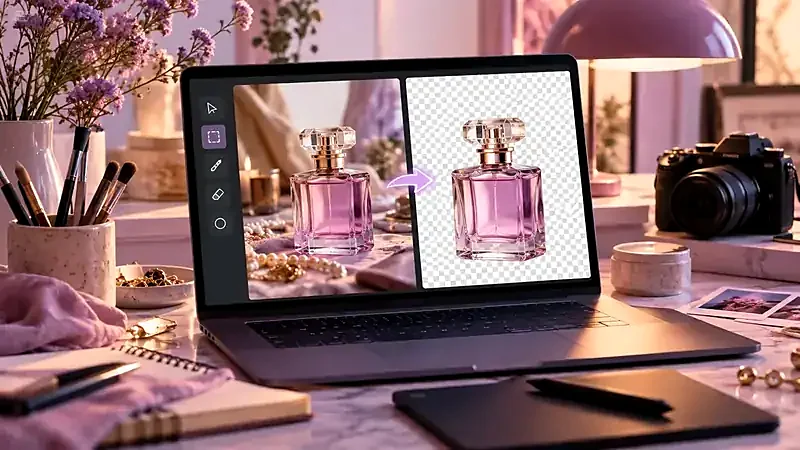
Step 1: Start with a photo that is easy to cut
An automatic remover separates subject from background by finding the edge. Help it:
- Sharp focus on the subject.
- Contrast between the subject and what is behind. A white mug on a white wall is harder than on a dark wall.
- Even lighting. Hard shadows can be mistaken for part of the subject.
- Full subject in the frame with a little space around it.
Step 2: Remove the background
- Open the Background Remover.
- Choose your photo.
- Press Remove background. The first time, your browser downloads the AI model, so expect a short wait. Later images start faster.
- When it finishes, the preview shows a checkerboard where the background was. That pattern means “transparent”.
Step 3: Inspect the edges
Zoom into the preview and look at:
- Hair and fur – wispy strands may be partly cut or have leftover colour.
- Semi-transparent items – glass, plastic, veils, smoke.
- Gaps – spaces between an arm and a body, handles, chair legs.
- Halo – a thin light or dark outline from the old background.
If there are problems, try a different photo with better contrast, or do small touch-ups in an editor.
Step 4: Place the subject on a new background
A cut-out can look pasted-on if the lighting does not match. Check:
- Direction of light. If the sun is on the left of the subject, it should be on the left of the new scene too.
- Colour and brightness. A warm indoor subject on a cold blue background looks wrong.
- Shadow. Add a soft shadow under the subject so it sits on the surface.
- Scale and perspective. The subject should be the right size for the scene.
Step 5: Export in the right format
| Use | Format |
|---|---|
| Further editing with transparency | PNG |
| Website graphic with transparency, smaller file | WebP (use the Image Converter) |
| Final picture on a solid background | JPG |
| Marketplace listing with a white background | Place on white, then export JPG |
Then make the file lighter with the Image Compressor and size it for its destination with the Image Resizer.
Common problems and fixes
| Problem | Likely cause | Fix |
|---|---|---|
| Part of the subject is missing | Low contrast with the background | Retake with a different background or more light |
| Background remains between arm and body | Small enclosed gaps | Touch up in an editor |
| Rough edges around hair | Fine detail | Use a sharper, higher-resolution photo |
| Result is slow or fails on phone | Very large photo | Resize to about 2000 px first |
If you sell products, also read product photo mistakes.
Special cases
Products
Photograph on a plain, contrasting surface with soft light. After cutting out, place the product on white or a light neutral colour and add a soft shadow below it so it does not look like it is floating. For marketplace listings, check the current background requirements.
Portraits
Hair is the hardest part. Use a photo where the person is well lit from the front, with a background that differs in tone from their hair. Avoid busy backgrounds with similar colours to the hair or clothing.
Logos and graphics
If a logo already has a flat colour background, the result can be very clean. If you need perfectly sharp edges for a vector logo, recreating it as an SVG is often a better long-term choice than cutting it out of a raster image.
Try it: Background Remover
Cut out the subject of a photo and get a transparent PNG. Free, private, and it runs in your browser.
Open Background RemoverFrequently asked questions
How do I remove a background without Photoshop?
Use an AI background remover such as the one on this site. Drop the photo, press the button and download a transparent PNG.
Why is my cut-out edge rough?
Hair, fur and low contrast with the background are the usual causes. Try a sharper photo with clearer separation.
What format keeps the transparent background?
PNG, and also WebP. JPG does not support transparency.
Can I put the cut-out on a white background?
Yes. Place the PNG on a white canvas in any editor, or convert it to JPG, which fills transparent areas with white.
Can I remove backgrounds on my phone?
Yes. The tool runs in mobile browsers, but very large photos are scaled down to fit the phone’s memory.