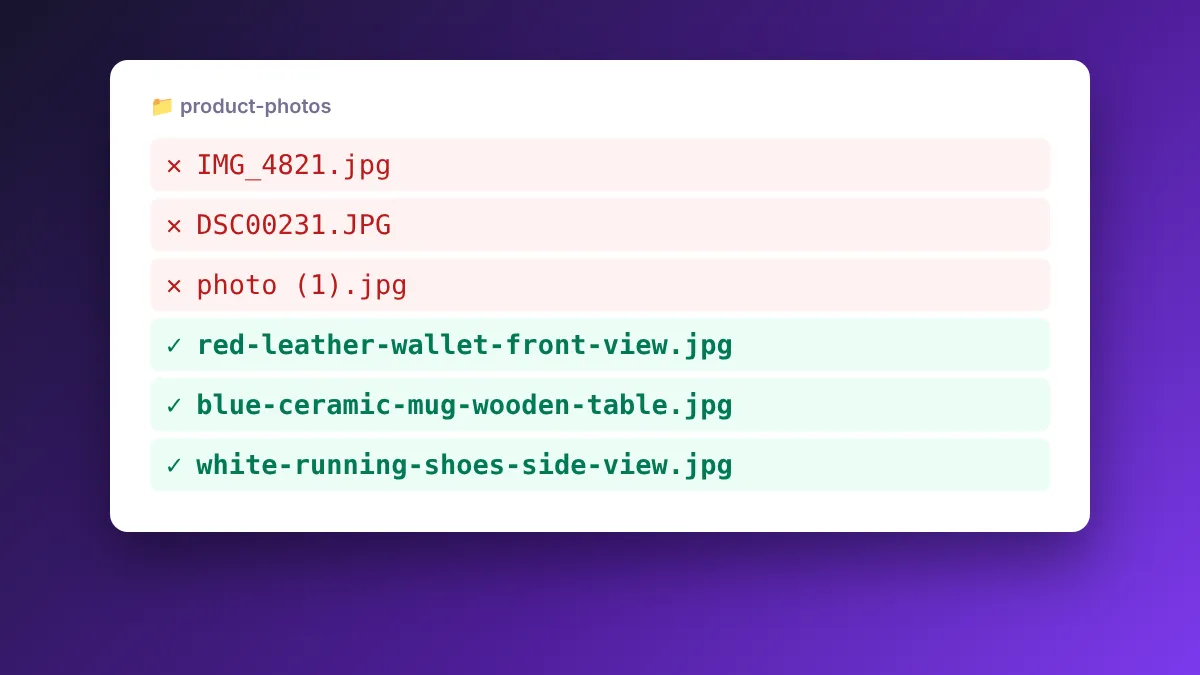
Open any phone’s photo folder and you will see names like IMG_4821.jpg or Screenshot 2026-11-03 at 10.42.17.png. If you upload those unchanged, the file name tells nobody what the image shows. A good file name costs a few seconds and gives search engines and people a clear hint.
Why image file names matter
Google works out what an image is about mainly from the page around it, such as the text, the caption and the alt text. The file name is a smaller, supporting hint. Google’s SEO Starter Guide advises that file names are best when they are short but descriptive, and its image guidance covers the other signals. Nobody can promise that renaming files will move your rankings, so treat it as good housekeeping that also helps with:
- Image search: a clear name supports the other signals about the picture.
- Accessibility and sanity: screen readers do not read file names, but you and your team will find files faster.
- Sharing and downloading: people who save your image keep a meaningful name.
A simple formula for naming images
Build the name from what you can see in the picture, in this order: subject, then what makes it different (colour, material, angle, place).
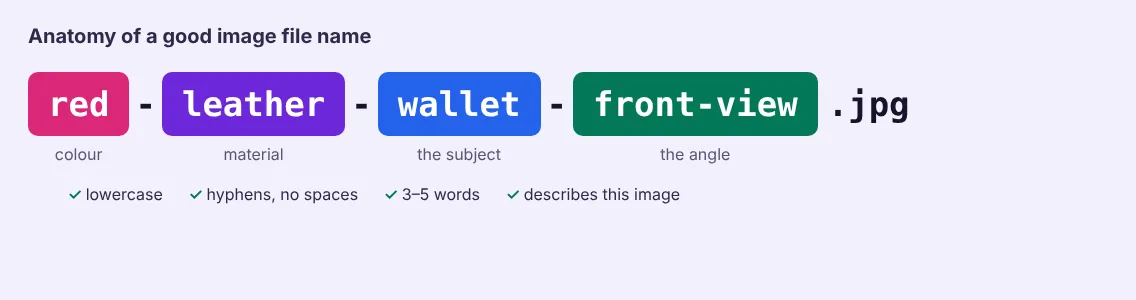
red-leather-wallet-front-view.jpg.15 good and bad file name examples
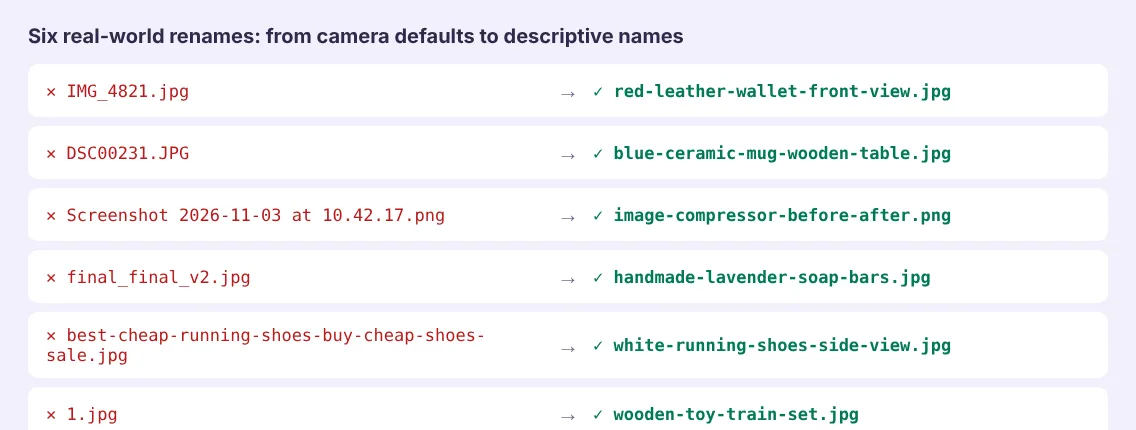
| Bad | Why it is bad | Better |
|---|---|---|
IMG_4821.jpg | Camera default, says nothing | red-leather-wallet-front-view.jpg |
DSC00231.JPG | Camera default, capital extension | blue-ceramic-mug-wooden-table.jpg |
Screenshot 2026-11-03 at 10.42.17.png | Spaces, date and time instead of content | image-compressor-before-after.png |
WhatsApp Image 2026-11-03 at 09.15.01.jpeg | App default with spaces | handmade-soap-bars-lavender.jpeg |
photo (1).jpg | Copy counter, spaces and brackets | vintage-bicycle-city-street.jpg |
final_final_v2.jpg | Describes the editing, not the image | team-photo-office-entrance.jpg |
image.jpg | Same name for every image on the site | coffee-beans-wooden-scoop.jpg |
1.jpg | A number only | wooden-toy-train-set.jpg |
untitled-design.png | Design tool default | summer-sale-banner-blue.png |
Red Wallet Front.JPG | Capitals and spaces, which become %20 in a URL | red-wallet-front.jpg |
red_wallet_front.jpg | Underscores join words, so search engines may read it as one long word | red-wallet-front.jpg |
best-cheap-running-shoes-buy-cheap-shoes-sale.jpg | Keyword stuffing | white-running-shoes-side-view.jpg |
pic_001_hires_NEW.jpg | Internal notes, not content | garden-chair-teak-outdoor.jpg |
logo.png | Too generic | pixetools-logo-purple.png |
product.jpg | Every product photo gets the same name | stainless-water-bottle-500ml.jpg |
The rules in one list
- Describe the image. Ask: what would I type to find this picture?
- Use hyphens. Separate words with
-. Avoid spaces and underscores. - Use lowercase and plain characters. Letters, numbers and hyphens are safest. Some servers treat
Photo.jpgandphoto.jpgas different files. - Keep it short. About three to five words is plenty.
- Make each name unique. If you have three angles, add
front-view,side-viewandback-view. - Do not stuff keywords. One natural phrase is enough. Repeating terms looks spammy and does not help.
- Match the real format. A WebP file should end in
.webp. Renaming.pngto.jpgdoes not convert it. Use the Image Converter instead. - Use the language of your audience. A site in Arabic can use Arabic words. Latin letters are safest for older systems, so test an upload before you rename hundreds of files.
How to batch rename files
Windows
Select the files in File Explorer, press F2, type a base name such as wooden-toy-train and press Enter. Windows adds numbers like (1), (2). Those brackets are not clean, so for the final names rename the files one by one, or use the Mac method or a free tool if you have many.
Mac
Select the files in Finder, right-click and choose Rename. In the dialog you can Replace Text (for example replace spaces with hyphens) or choose Format to add a name and an index number.
Phone
In the Files app on iPhone, or a file manager on Android, press and hold a file and choose Rename. Photos from the gallery usually need to be saved to a folder first.
A workflow that fits into five minutes
- Resize and compress first. Use the Image Resizer and the Image Compressor. Our guide to image size and SEO explains target sizes.
- Rename the final files using the formula above.
- Upload and write the alt text. See 20 alt text examples, because the file name and the alt text should agree but not be copies.
- Serve the right size to each screen with responsive images. See responsive images in HTML.
Do not rename images that are already live. A new file name is a new URL. The old address will stop working, and pages that point to it will show a broken picture until you update them. Apply the formula to new images, and rename old ones only when you can update every page that uses them.
File name versus alt text
They do different jobs. The file name is short, lowercase and written for machines. The alt text is a normal sentence written for people who cannot see the image. For red-leather-wallet-front-view.jpg, good alt text is “Red leather bifold wallet seen from the front, with the card slots closed”. Do not paste the file name into the alt attribute.
Quick checklist
- Does the name describe this exact image?
- Is it lowercase, with hyphens and no spaces?
- Is it under about five words?
- Is it different from every other image on the page?
- Does the extension match the format?
Try it: Image Compressor
Make photos smaller. Pick a quality or hit a target file size. Free, private, and it runs in your browser.
Open Image CompressorFrequently asked questions
Do image file names affect SEO?
They are a small hint. Google mainly uses the page content, the alt text and captions to understand an image, and advises that file names are best when they are short but descriptive. Renaming files is good practice but is no ranking guarantee.
Should I use hyphens or underscores in image file names?
Use hyphens. Search engines generally treat a hyphen as a word separator, while an underscore may join the words into one.
How long should an image file name be?
Short is best. About three to five descriptive words is enough, such as red-leather-wallet-front-view.jpg.
Should the file name match the alt text?
They should agree on the subject, but they should not be identical. The file name is a short label. The alt text is a sentence that describes the image for people who cannot see it.
Can I rename images that are already on my website?
You can, but the new name is a new URL, so every page that uses the image must be updated and the old address will stop working. It is safer to apply good names to new images.
Can I use Arabic or other non-Latin letters in image file names?
Many modern sites support them, but Latin letters, numbers and hyphens are the safest for older systems. Test one upload before you rename many files.